Forecast
A warning before you go negative
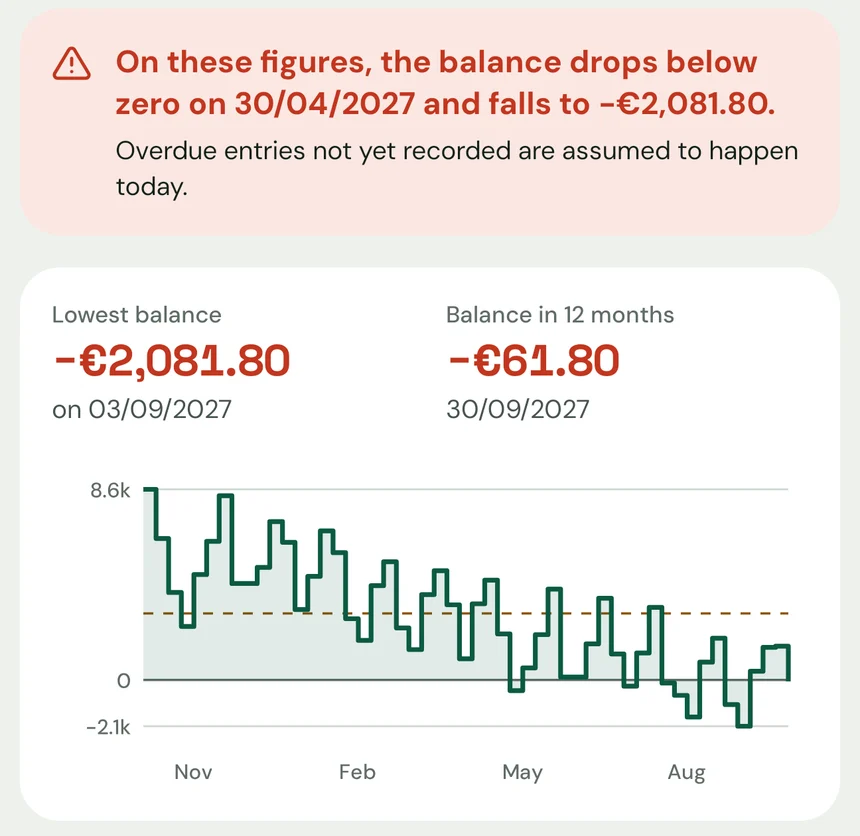
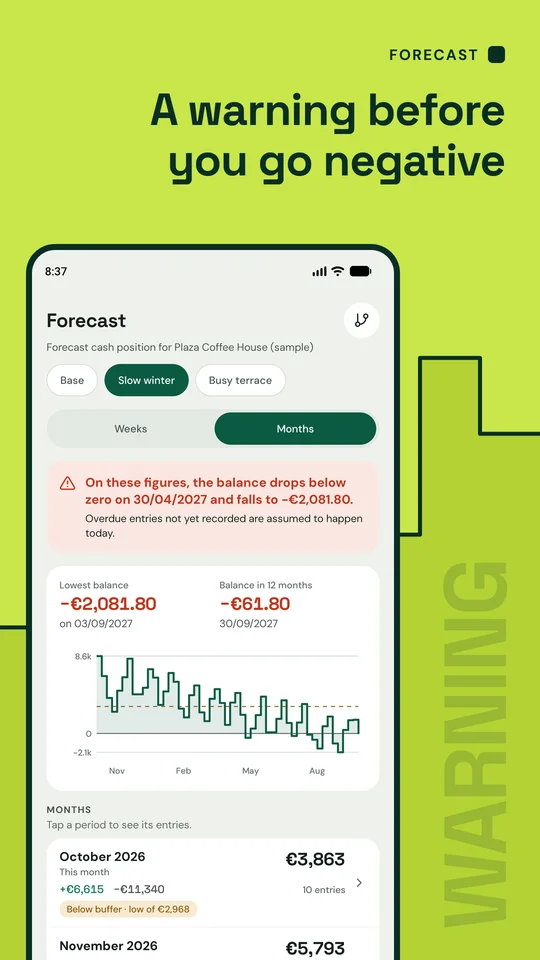
The forecast, by week or by month, flags the first day your balance ends below zero. In the sample, the “Slow winter” scenario drops below zero on 30/04/2027.
Cash flow for small businesses and the self-employed
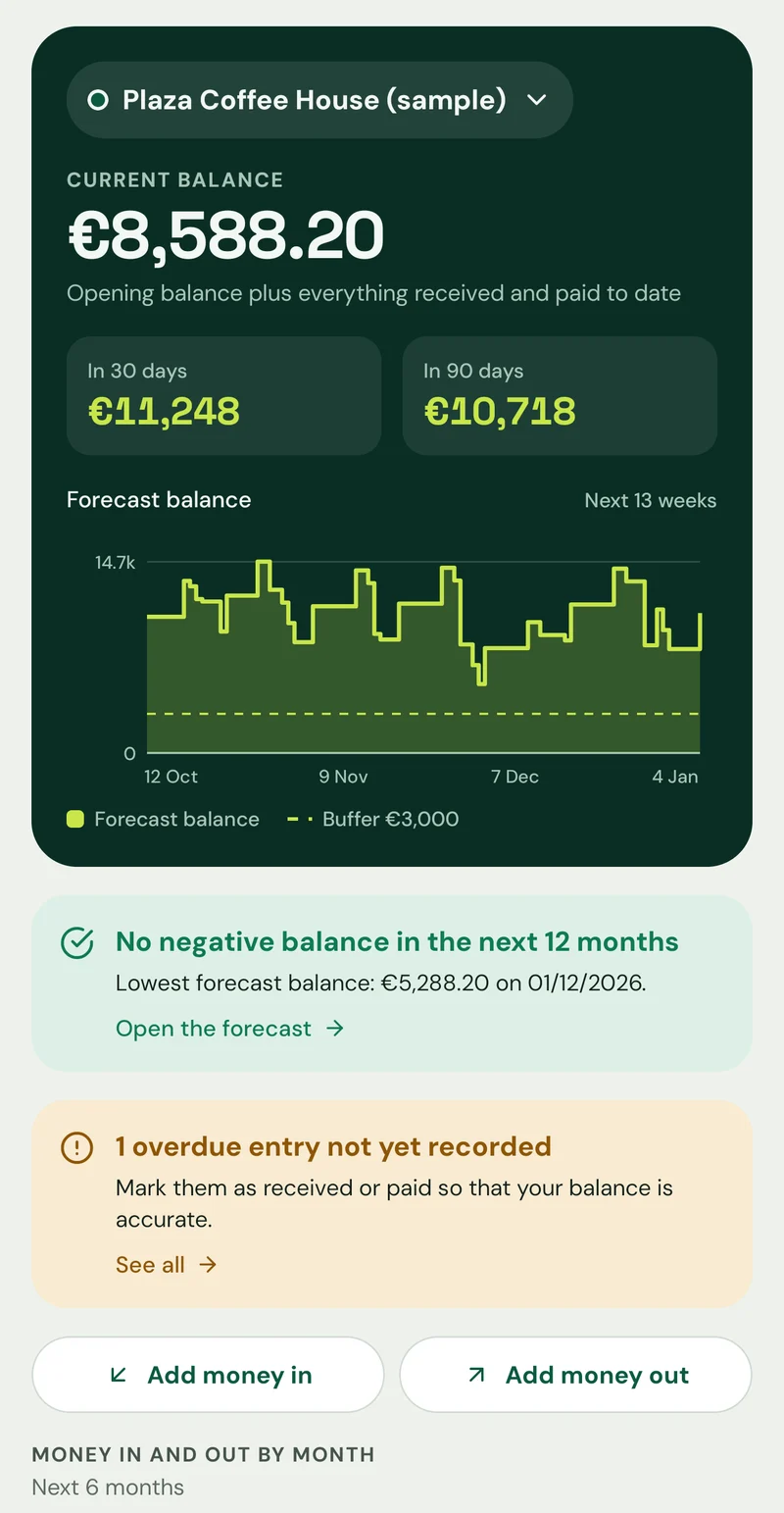
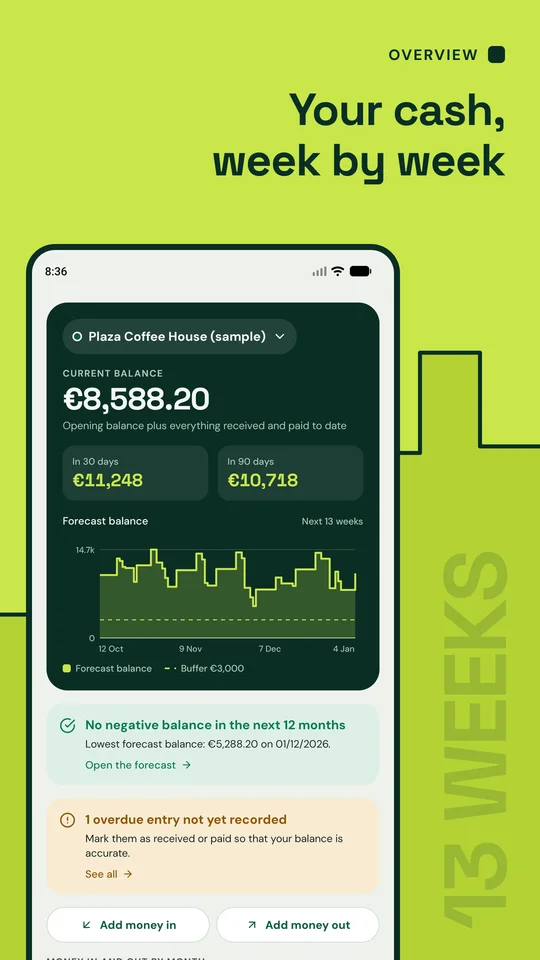
Enter your balance, the money you expect to come in and the bills ahead. Negocio Control works out your cash for the next 13 weeks and the next 12 months, and tells you the date your forecast balance would drop below zero.
Coming soon to Google Play
Free · Android · In English and Spanish
How it works
Negocio Control never connects to a bank: the forecast comes only from what you enter.
Say how much cash you have available and on what date. Everything is calculated from there.
Add what you expect to receive and what you have to pay. Recurring entries such as rent, payroll or utilities repeat by themselves.
Each pending entry is added or subtracted on its date. You see the balance for the next 13 weeks and the next 12 months.
If the forecast balance ends any day below zero, or below your safety buffer, the app flags it and gives you the date.
Features
The images are real captures of the app showing its sample project, a fictional café.
Forecast
The forecast, by week or by month, flags the first day your balance ends below zero. In the sample, the “Slow winter” scenario drops below zero on 30/04/2027.
Scenarios
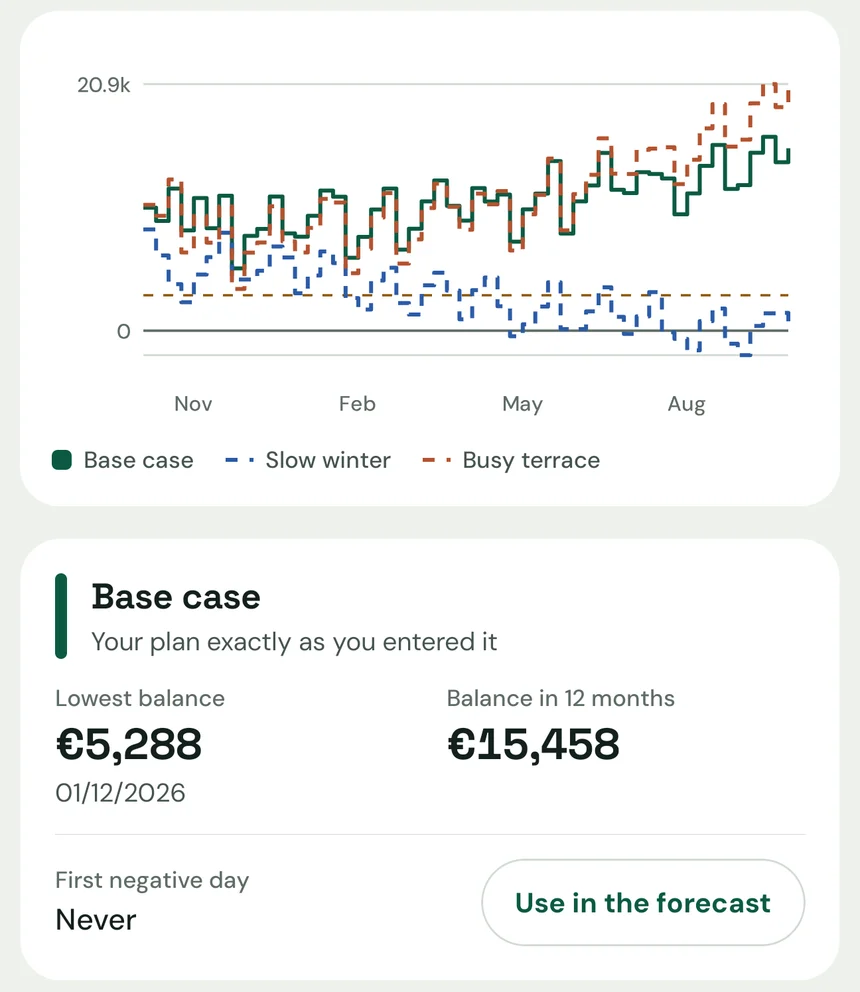
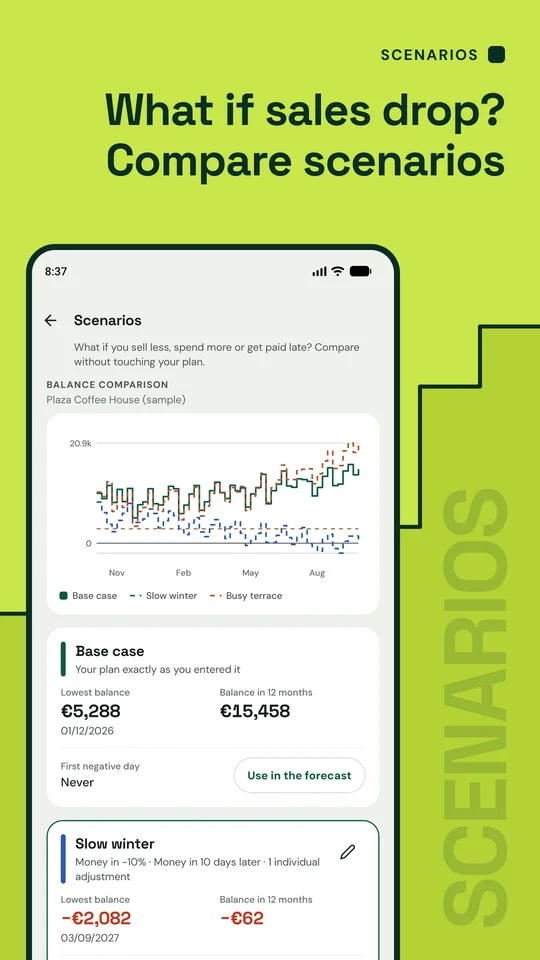
Higher or lower sales, higher costs or customers who pay late. The balances of every scenario on one chart, without touching your plan.
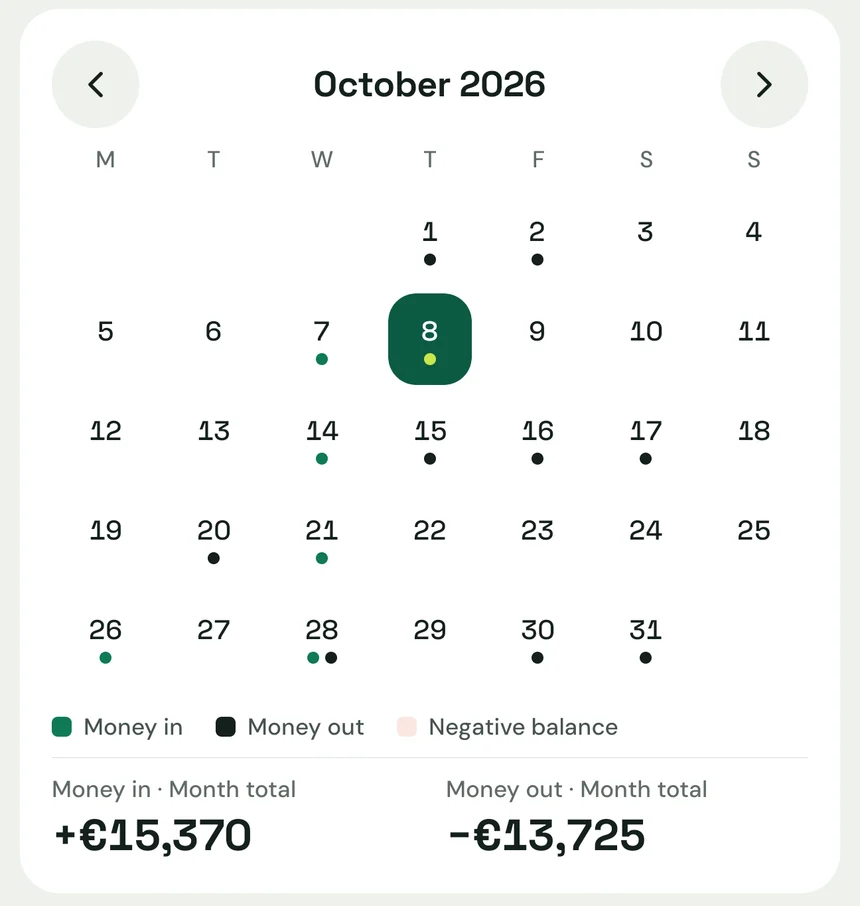
Calendar
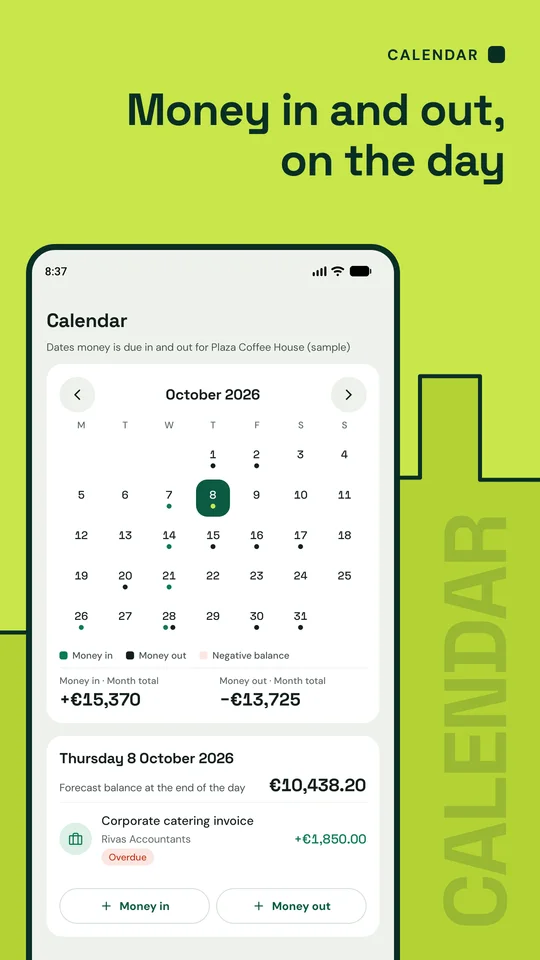
A monthly calendar of the days money is due in and out, the month's totals and the forecast balance at the end of any day you pick.
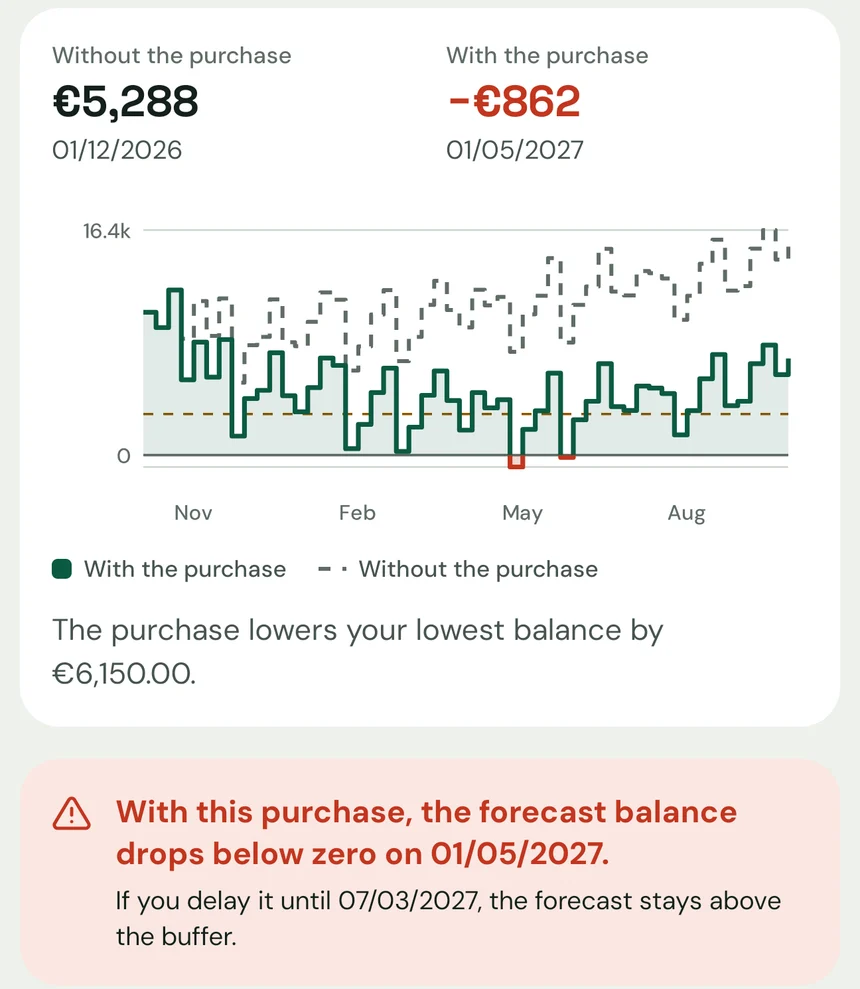
Planned purchases
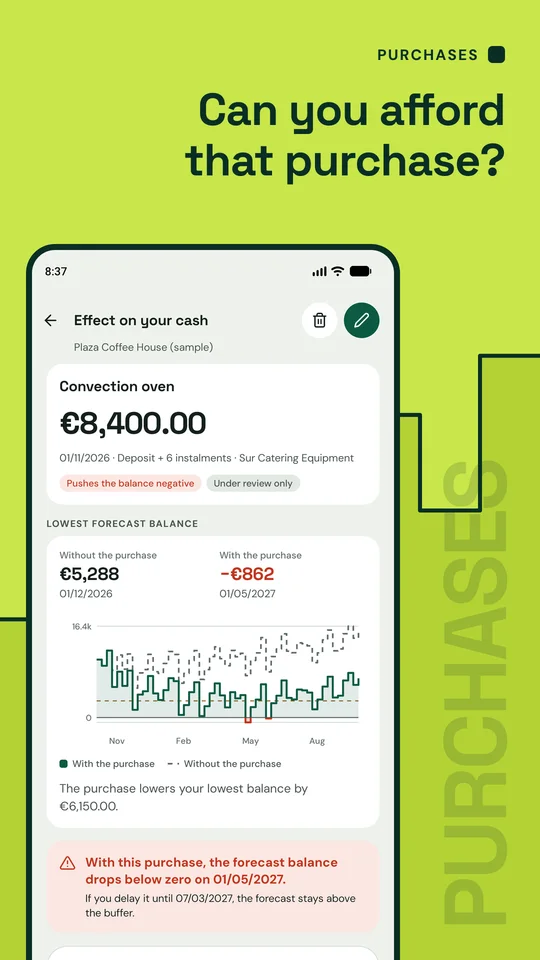
Plan a large purchase, paid in one go or with a deposit and monthly instalments. You see your lowest balance with and without it and, if the forecast gets too tight, the first date on which it would be affordable.
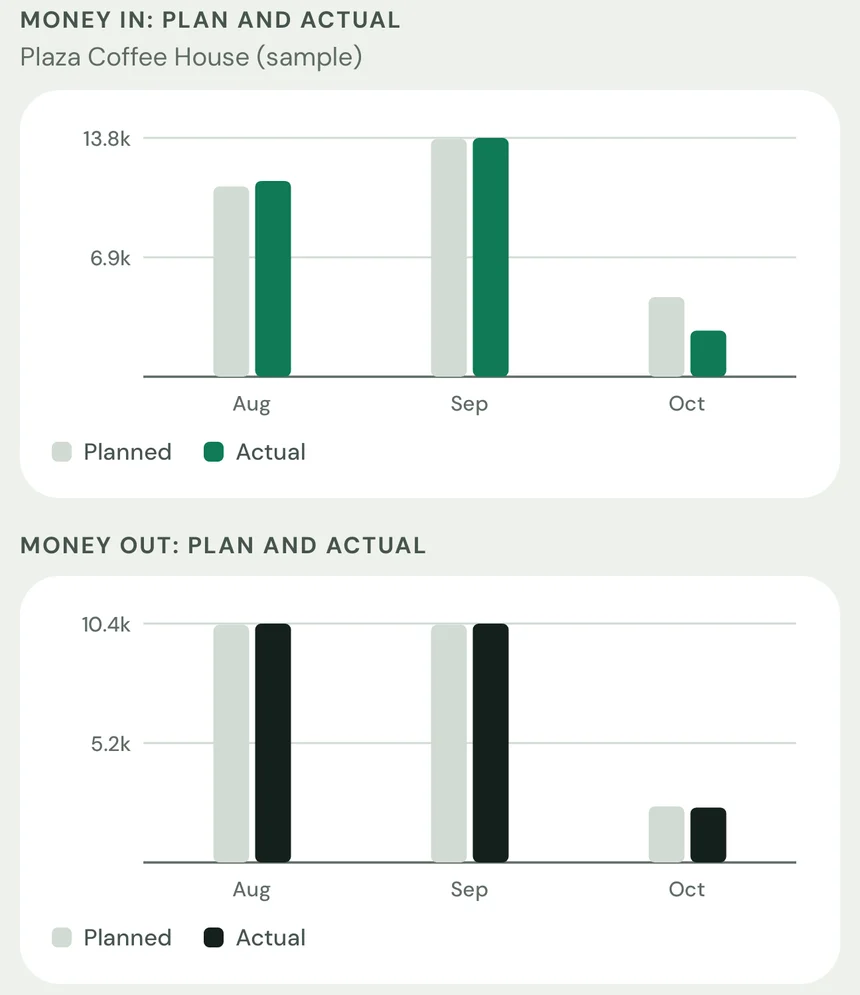
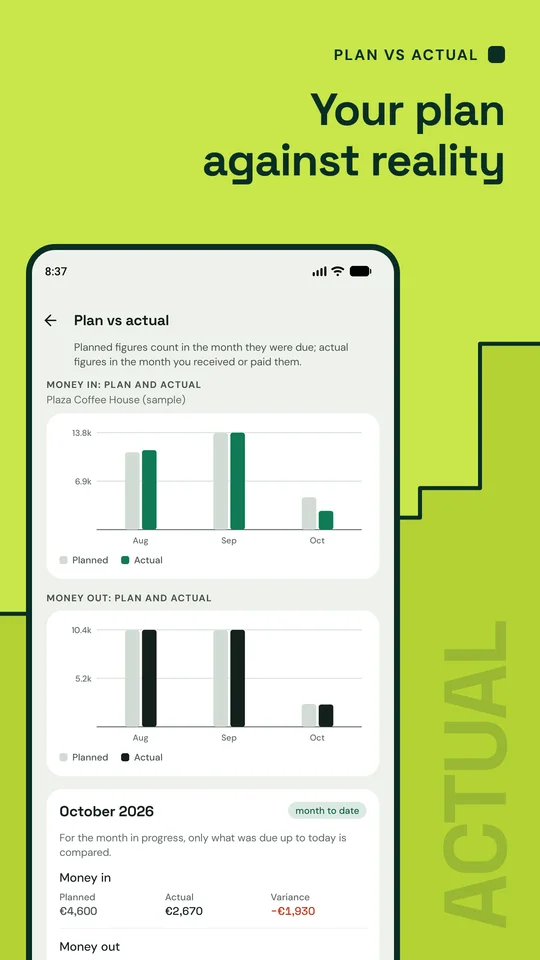
Plan vs actual
Mark each due date as received or paid at the real amount and compare, month by month, what you expected with what actually happened.
And also
Screens
Swipe to see all six.
Privacy
The app collects no data, has no adverts or analytics and needs no internet connection. Your projects are stored on your device only. Exported files leave your phone only when you share them.
Read the privacy policyQuestions
No. The app never connects to a bank or to any other service. The forecast is calculated on your phone from the balance, the money in and the money out that you enter.
No. There is no sign-up and no login. You open the app, create a project with your balance and start adding entries.
It is free. There are no adverts, purchases or subscriptions, and every feature is available from day one.
No. It does not keep your books, issue invoices or calculate tax. The figures are estimates based on the data you enter and are not financial, accounting or tax advice.
No. The app sends no notifications. Warnings about a negative balance, or a balance below your buffer, are shown on the overview and in the forecast when you open it.
Data is stored on your device only and Android cloud backup is switched off for the app, so it is not restored on a new phone. To keep a copy of your figures, export the PDF report or the CSV data.
Amounts are in euros. The app is in English and Spanish: it follows your phone's language and you can change it in Settings.
Create your first project with the cash you have available, or explore the sample project first.
Coming soon to Google Play
Free · Android · In English and Spanish